Member Pass
This guide covers the Member Pass - what it is, where it can be found and examples of how it can be used: Before you read on, you may wish to take a look at our training video:
Each member that logs into the SU App (students and associates) will have access to their own Member Pass.
This can be found via the app home screen, or the My Union tab.
This is linked to each member's unique identifier (their member ID) - each member's pass is unique to their account.
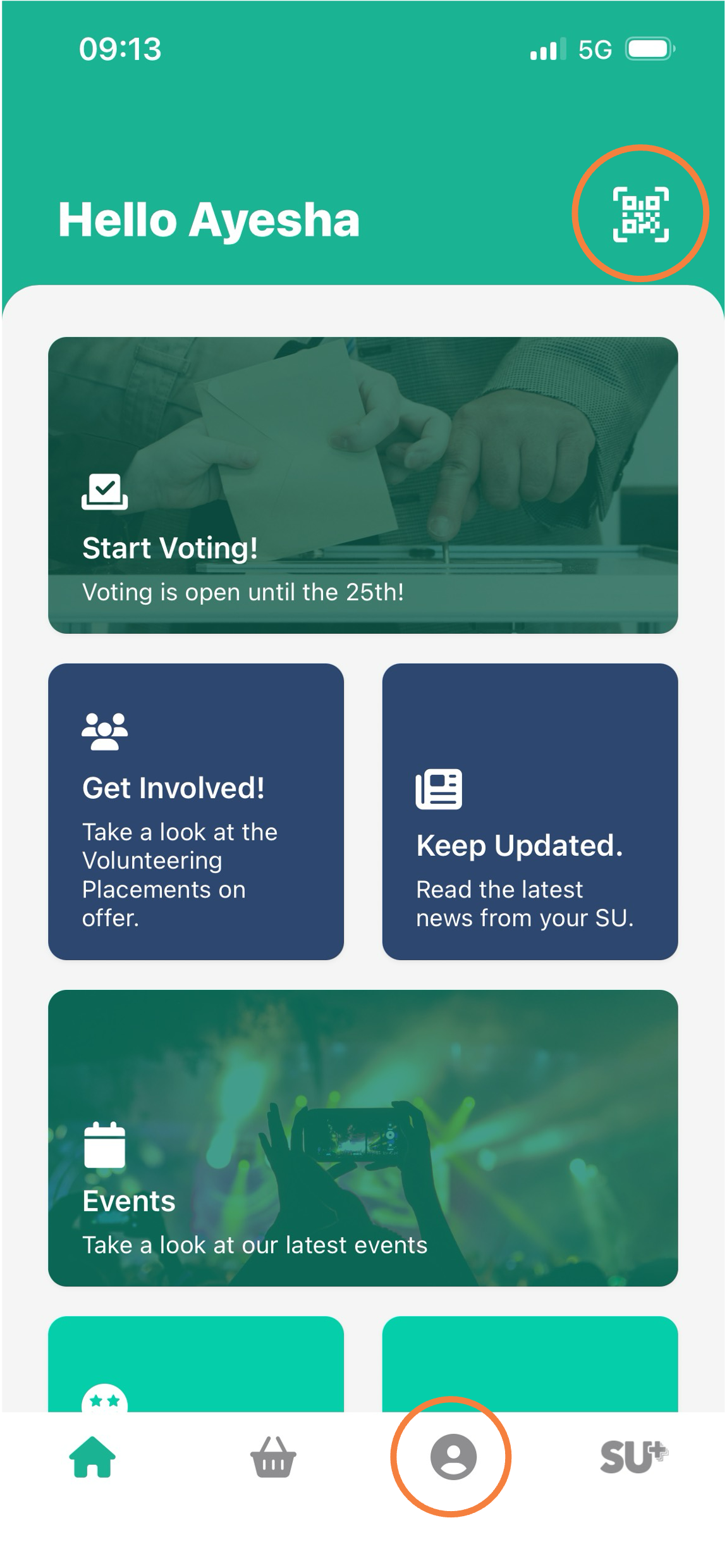
What can a Member Pass be used for?
A Member Pass can be scanned for a variety of purposes, including to:
- Scan a member into a free event to log their attendance
- Facilitate product collection
- Register their interest in a Student Group/Activity
Please note: If you are scanning a member into an event that they have purchased a ticket for, you will need to scan their ticket QR code as opposed to their Member Pass.
Student Dashboard
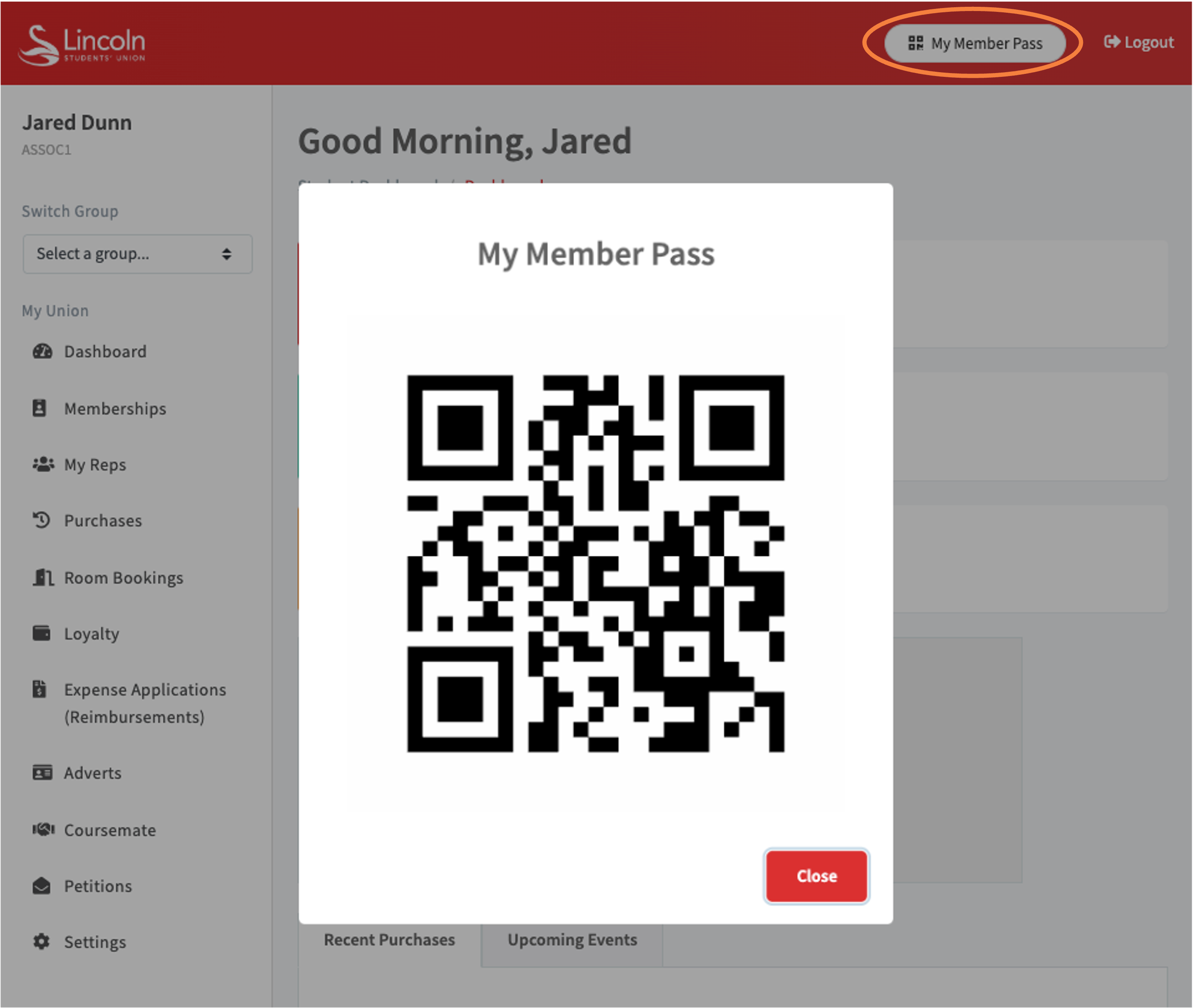
If a member requires their Member Pass but cannot access the SU App, they can also find this when logged into their Student Dashboard via your SU website.
Animated Member Pass
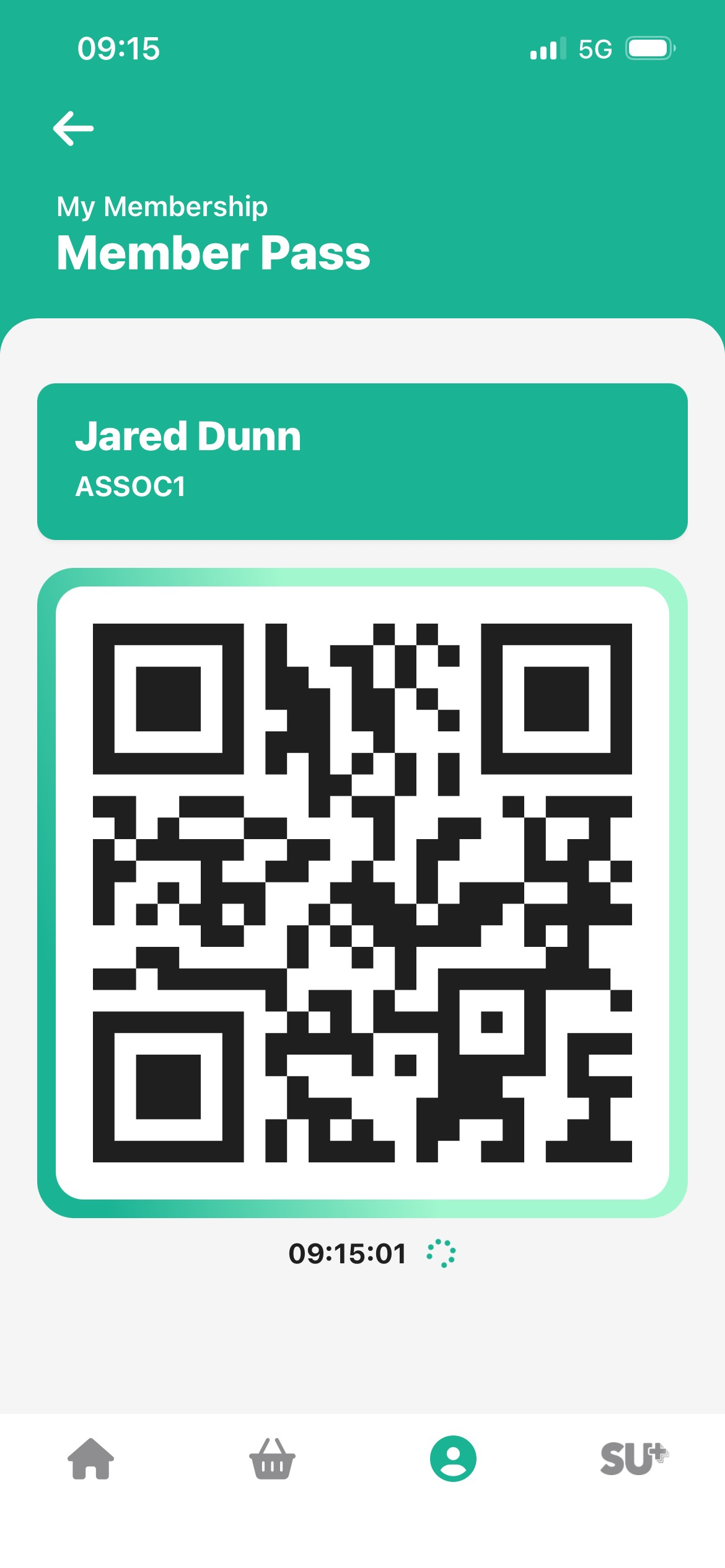
You will notice that each Member Pass features an animation and a time below the QR code - this is to prevent users from screenshotting a QR code to be scanned by another individual.
You will still be able to scan a Member Pass it if is a screenshot, but you will be able to tell that it is not live if the graphic behind the QR code is not moving, and the time below the QR code is incorrect and not ticking over.
Please note: If you are scanning an event ticket on the SU App, this will also feature the same animation.
Updated on 9th March 2026